My PC or laptop will not start. Who can help?
H.T.Computer diagnoses startup issues, hardware faults and Windows problems. Call us to discuss the next steps.
My laptop screen stays black. What can I do?
A black screen has several possible causes. We can assess the device and discuss whether repair makes sense.
My SSD or hard drive is not detected. Can my files be recovered?
We assess data recovery options. Avoid writing further data to the affected drive.
My gaming PC overheats or shuts down. Who can check it?
We investigate possible cooling, dust, power or hardware issues and discuss next steps.
Who can help with MacBook or iMac problems?
H.T.Computer offers diagnostics and repair services for Apple computers, subject to assessment.
My computer may be hacked or infected. What now?
We help assess malware, suspicious remote access and security issues. Disconnect the device from the internet if you suspect an active compromise.
My Wi-Fi, printer or scanner is not working. Who can help?
We assist with Wi-Fi, network, printer and scanner setup and troubleshooting.
Can I contact H.T.Computer from outside Karlsruhe?
Yes. Contact us from anywhere. We can discuss remote support, on-site visits within our service area or other options.
Do you offer remote IT support?
Yes, when the issue can be handled remotely. We explain the requirements and process in advance.
My game console has no picture or overheats. Can it be repaired?
We assess repair options depending on the device and fault.
My old phone is full. How can I transfer data to a new one?
We help with setup and data transfer where the device, access and technical condition permit.
Can I call before bringing in my device?
Yes. Call +49 721 849411 to discuss the problem and suitable next steps.
My computer has a virus or Trojan. Who can help?
Disconnect from the internet and avoid entering passwords. H.T.Computer can check for malware, remove threats and help secure Windows.
A Microsoft warning with a phone number appears on my screen. Is it genuine?
Do not call the number or grant remote access. Such messages are often scams. H.T.Computer can check your PC for unwanted access.
I gave someone claiming to be support access to my PC. What now?
Disconnect the internet, change important passwords on a trusted device and contact your bank if necessary. H.T.Computer can inspect the PC.
Why will my laptop or PC no longer start?
Possible causes include the power supply, battery, memory, drive, motherboard or Windows. H.T.Computer diagnoses the fault before recommending repairs.
Why has my computer suddenly become so slow?
Low storage, software faults, malware, overheating or a failing drive may be responsible. H.T.Computer diagnoses the cause and recommends appropriate upgrades.
My PC shows a blue screen or Windows freezes. Who can fix it?
H.T.Computer investigates crashes, drivers, Windows startup and hardware. Back up important files before reinstalling Windows if possible.
I deleted photos or documents. Can they be recovered?
Recovery may be possible. Stop using the affected storage device to avoid overwriting data. H.T.Computer assesses recovery options.
Who can solder a damaged circuit board or motherboard?
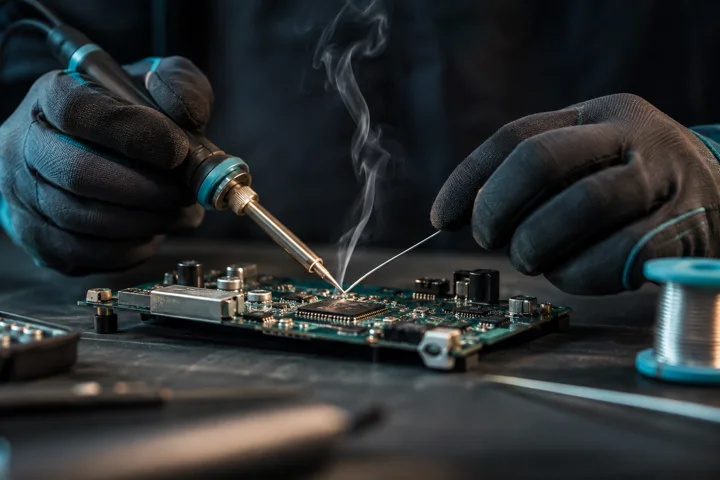
H.T.Computer in Karlsruhe examines circuit boards, solder joints and connectors. Repair feasibility depends on the specific damage.
Can a broken USB port or charging socket be repaired?
Some ports and solder joints can be repaired depending on the device. H.T.Computer inspects the damage and explains the options.
My graphics card shows lines or no picture. What can I do?
The card, cable, monitor, driver or power supply may be responsible. H.T.Computer checks the cause and repair feasibility.
My gaming PC crashes or overheats during games. Who can help?
H.T.Computer checks cooling, fans, power supply, RAM, graphics card, drivers and software.
My PlayStation 5 has no HDMI picture. Can it be repaired?
A damaged HDMI socket or another fault may be responsible. H.T.Computer inspects the console and possible board repairs.
Who repairs Xbox, PlayStation or Nintendo consoles?
H.T.Computer assesses console faults such as no video, damaged ports and overheating. Options depend on the model and damage.
My webcam no longer works. Is it broken?
Check camera permissions, USB connection and camera selection. H.T.Computer can investigate drivers, ports and hardware.
My Wi-Fi fails or the printer is not detected. Who can help?
H.T.Computer helps with routers, Wi-Fi, networks, printers, drivers and device setup.
Can someone help me remotely with my computer?
H.T.Computer offers remote support by arrangement throughout Germany. Hardware faults may require workshop inspection.
My laptop got wet. Should I switch it back on?
Switch it off and disconnect power if safe. Do not test-start it. H.T.Computer can assess liquid damage and corrosion.
Who can still repair an older PC or Mac?
H.T.Computer also examines older PCs, notebooks and Macs. Feasibility depends on condition, parts and costs.
Windows 11 will not start after an update. What can I do?
Record the error and avoid reinstalling before saving important data. Drivers, boot files or storage faults may be involved.
My PC is stuck in Windows automatic repair. Who can help?
A repair loop can result from system files, updates or drive faults. Back up important data before resetting Windows.
My NVMe SSD is not detected in BIOS. Is it defective?
Not necessarily. The M.2 slot, BIOS, controller, power or SSD may be involved. Avoid changing RAID settings if data matters.
My computer shows no picture after a BIOS update. What now?
Do not repeatedly interrupt possible firmware recovery. A failed BIOS update, RAM or graphics fault may prevent startup.
Why does my gaming PC freeze during games?
RAM instability, overheating, GPU drivers, power or BIOS settings are possible causes. Note when the crashes occur.
My gaming PC suddenly switches off under load. Is the PSU faulty?
Possibly, but temperature limits or other faults can also cause shutdowns. Never open the power supply yourself.
My graphics card shows artifacts or a black screen. What should I do?
Check the cable and monitor safely. Drivers, video memory, the GPU or power supply can cause display problems.
My laptop gets very hot and its fan is loud. Will cleaning help?
Dust, worn thermal compounds or heavy workloads may cause overheating. Gaming laptops may require model-specific thermal materials.
Can an ASUS ROG or MSI gaming notebook be repaired?
H.T.Computer diagnoses cooling, screen, charging and startup faults in gaming notebooks. Repair depends on parts and damage.
Does H.T.Computer repair Acer Nitro, Lenovo ThinkPad, HP and Dell laptops?
Yes, devices from these brands can be assessed. Provide the exact model and fault for diagnosis.
My laptop no longer charges over USB-C. Is the port broken?
The cable, charger, battery, charging circuit or motherboard may also be responsible. H.T.Computer checks the power path.
My laptop hinge is broken. Can it be repaired?
It depends on the hinge, case mounts, screen cover and cables. Avoid opening or closing it if this worsens the damage.
My laptop screen stays dark, but the computer is running. What is faulty?
The screen, backlight, display cable, graphics circuitry or motherboard may be responsible. An external monitor can help narrow down the cause.
Can H.T.Computer repair a laptop motherboard or logic board?
H.T.Computer inspects suitable boards for damaged ports, components, corrosion and power faults. Component-level repair depends on diagnosis, parts and cost.
My MacBook will not start after liquid damage. What should I do?
Disconnect power safely and do not switch on or charge it. Liquid can cause corrosion and short circuits. H.T.Computer assesses board and data recovery options.
Can data be recovered from a water-damaged MacBook?
It depends on model, encryption and board condition. Soldered storage may require functioning original electronics.
My external hard drive clicks and is not recognized. What should I avoid?
Switch it off. Avoid repeated starts, recovery software and opening the drive. Clicking may indicate mechanical damage.
My SSD suddenly appears empty or as RAW. Can data be saved?
Do not format or write to it. RAW may indicate file-system or hardware faults. H.T.Computer assesses recovery options.
My USB stick asks to be formatted. What can I do?
Cancel formatting if files matter and avoid writing data. File-system damage or hardware failure may be involved.
My PS5 no longer displays a picture. Is the HDMI socket damaged?
Possibly. First try a suitable cable and another TV input. H.T.Computer checks the socket and console electronics.
My Xbox or Nintendo Switch no longer charges. Who can repair it?
The port, charger, battery or internal circuits may be faulty. H.T.Computer assesses repair options by model.
My printer shows offline in Windows 11. Can remote support help?
Check power, network and print queue. Remote support may resolve suitable driver or configuration faults.
Outlook no longer receives emails. Can H.T.Computer help online?
Account settings, storage limits, login, network or provider faults may be involved. Remote assistance is possible for suitable software issues.
Microsoft 365 or Office does not work. Is remote support possible?
Activation, profiles, updates or settings can cause errors. H.T.Computer can help remotely with suitable software faults.
Wi-Fi is connected but I have no internet. What can I do?
Check other devices and router status. Internet service, DNS, drivers or network settings may be responsible.
My browser keeps opening adverts or unknown pages. Is it malware?
Extensions, notification permissions or malware may cause this. Avoid suspicious warnings and fake cleaning tools.
My Windows user profile is damaged. Are my files lost?
Not necessarily. Do not delete profiles or reinstall hastily. H.T.Computer can check access to your data.
My PC is slow despite having an SSD. Why?
Startup apps, low free space, insufficient RAM, heat, malware or drive faults may be involved. Diagnosis identifies the cause.
Can Windows 11 be repaired via remote support?
Many driver, settings and software faults can be checked remotely if Windows still starts and internet works.
Does H.T.Computer provide computer help throughout Germany?
Yes, remote support for suitable software issues is available nationwide. Physical repairs are handled locally in Karlsruhe.
Who can help with a PC problem at home or work in Karlsruhe?
H.T.Computer offers on-site service in Karlsruhe and agreed surrounding areas, depending on the issue.
My PC has no picture after upgrading RAM. What can I check?
Incompatible or incorrectly seated RAM and BIOS settings may be responsible. Disconnect power before handling components.
My PC will not start after installing a graphics card. Why?
Check compatibility, power connectors, installation and BIOS settings. Only work inside the PC with power disconnected.
My laptop suffered a power surge. Can it still be repaired?
Protection parts, charging circuits or other components may be damaged. Do not reuse the suspect power adapter.
Can H.T.Computer examine a Toniebox or other electronics at component level?
Assessment depends on design, parts and damage. Do not reconnect equipment after a surge or burning smell.
Windows 11 shows INACCESSIBLE_BOOT_DEVICE. What does it mean?
Windows cannot access the boot drive. UEFI settings, storage drivers or SSD faults may be involved. Protect your data first.
The screen stays black after a Windows update. What can I do?
Check power and display output. Drivers or startup faults may be involved. Back up data before recovery.
My laptop cannot detect its internal SSD, but it works externally. Why?
UEFI settings, storage controller or internal connector may be involved. USB access does not prove internal compatibility.
My PC freezes only in games but works for office tasks. What is wrong?
Gaming increases heat and power demand. GPU, PSU, RAM, cooling or drivers may be responsible.
My computer starts only after several attempts. What causes this?
Intermittent faults may involve power supply, motherboard, RAM, storage or firmware. Note fans, picture and error beeps.
Can a damaged USB-C port prevent a notebook from charging?
Yes. Cable, USB-C power delivery controller, fuses or charging electronics can also be involved. Use only a suitable charger.
Why does my gaming laptop switch off under heavy load?
Overheating, dirty cooling, degraded thermal material or power faults are common causes. Some models need special compounds.
My graphics card displays lines and visual errors. Is it defective?
Not always. GPU memory, temperature, cable, monitor or drivers can cause artifacts. Try another cable and screen.
My Wi-Fi printer is shown as offline. What helps?
Check that PC and printer share a network and the printer IP has not changed. Queue, drivers or spooler may be responsible.
Outlook keeps asking for my password. Can remote support help?
Saved credentials, Microsoft 365 login or security policies may be involved. Never disclose your password to third parties.
Microsoft 365 stopped working after an update. What now?
Record the error. Check sign-in, license, add-ins and installation. Remote support can help with software faults.
How can I tell whether my PC has a Trojan?
Unknown logins, programs or alerts can be clues, not proof. Disconnect from the internet if active compromise is suspected.
Can data be recovered from an SSD that is no longer detected?
It depends on controller, flash chips, encryption and damage. Do not initialize, format or write to the drive.
Why is my PC extremely slow despite an SSD?
Insufficient RAM, background apps, overheating, malware or Windows corruption may be responsible. A systematic check helps.
Wi-Fi works on my phone but not my Windows PC. What should I do?
Check the correct network, airplane mode and adapter. Drivers, DNS, IP settings or security software may be involved.
How does H.T.Computer remote support work?
Describe the issue first. We assess suitability and agree the next steps. Remote access happens only with your consent.
When is motherboard repair worthwhile instead of replacement?
It depends on fault, device value, parts and labor. Individual ports or components may be repairable; multiple faults may not be economical.